Revamping shipping workflows for warehouse workers
Role
Product Designer
Timeline
2 months
Tools
Figma
Team
1 Product Manager
1 Product Designer
OVERVIEW
ShipHawk provides a platform for businesses to manage their shipping operations.
For businesses selling anything from gardening tools to ugly Christmas sweaters, ShipHawk serves as a tool that aims to make shipping as cost-friendly and efficient as possible.
Problem
TeachMode’s workflow is hard to navigate and doesn’t include the settings for unique shipping needs.
Warehouse workers have to find ways around the system, leading to inefficient and inconsistent packing flows within a business.
Solution
Redesigned TeachMode to improve scannability, support high-impact edge cases, and reduce time spent in the shipping process
BACKGROUND
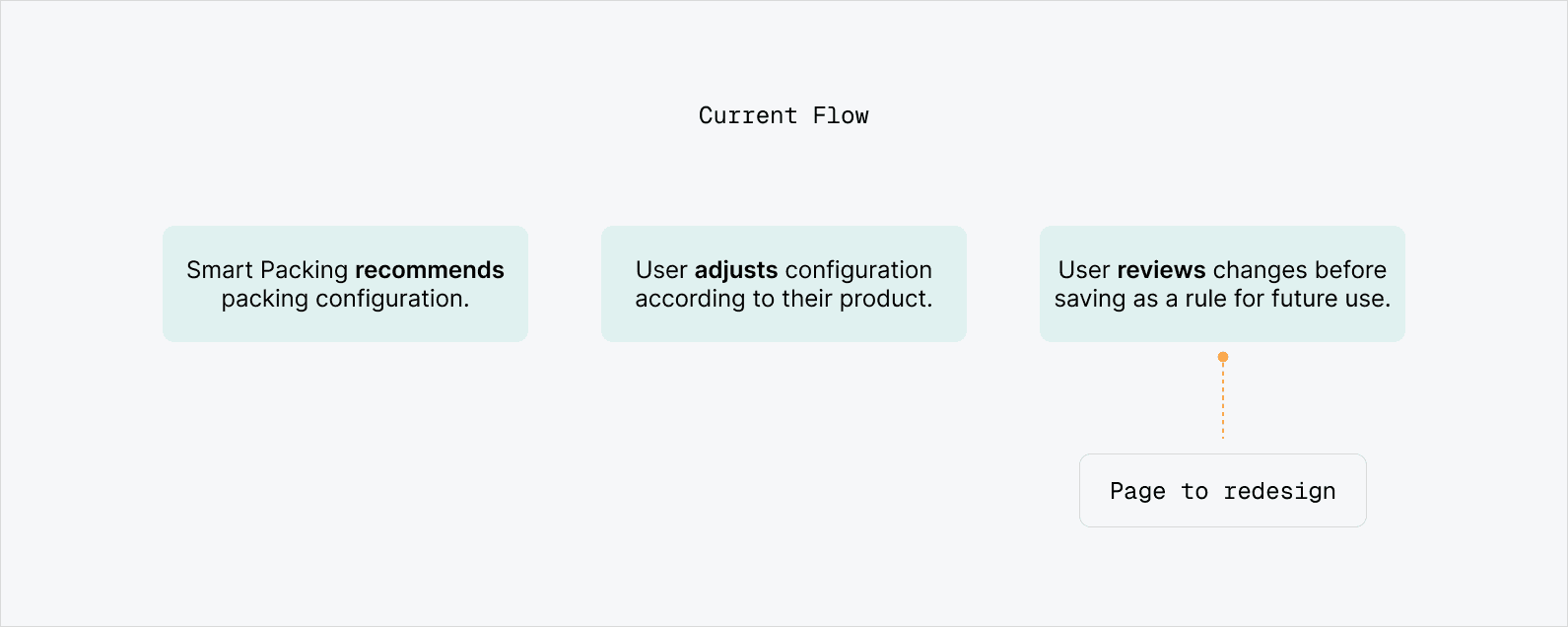
TeachMode lets shippers override recommended packing configurations.
ShipHawk’s software uses an algorithm called Smart Packing, which gives shippers the most ideal packing configurations. However, Smart Packing isn’t always accurate, especially for users that are shipping oddly shaped items. This is where TeachMode comes in.
TeachMode is a way for warehouse workers to manually override the configurations given by Smart Packing and to “teach” the software their own packing settings.
So when workers pack that same combination of items in the future, they can keep reusing these configurations easily.
~20% of businesses are currently using TeachMode in their shipping workflow.
PROBLEM DISCOVERY & RESEARCH
Warehouse workers are experiencing friction in the current TeachMode workflow.
Warehouse workers were resorting to workarounds within the feature, leading to inefficient and inconsistent workflows, as well as longer-than-necessary time spent on packing.
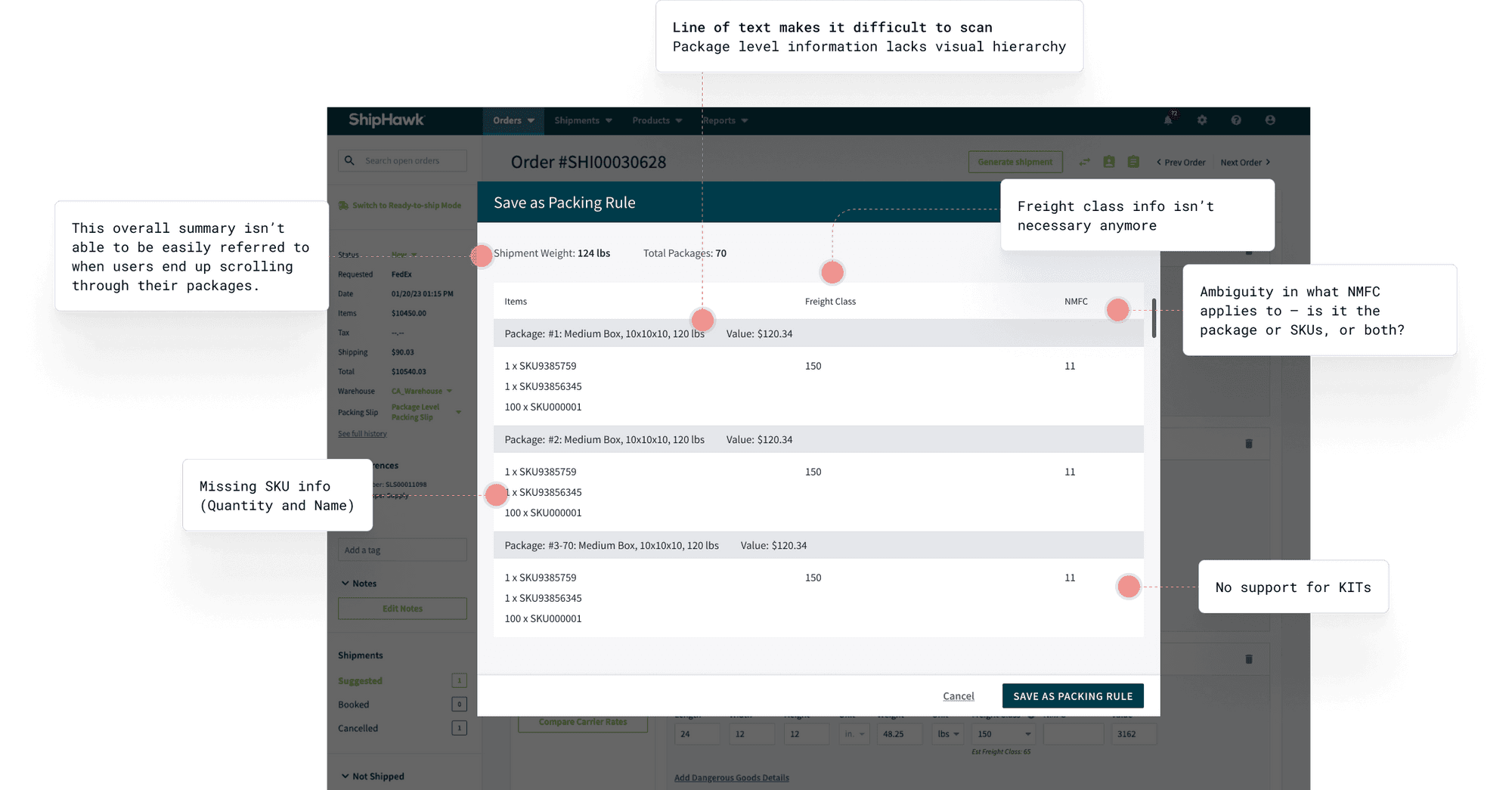
Upon auditing the site, I found 3 main problems on one particular modal.
To dive deeper into the problem, I went through the flow of TeachMode and looked at user sessions through FullStory, and the “Save as Packing Rule” modal stood out to me as the page that was most disruptive in the user experience.
These were the 3 specific areas that I decided to focus on improving for the redesign.
Lack of visual hierarchy
It’s hard to quickly scan through, especially when there’s a lot of orders. Warehouse workers should be able to quickly verify information and move on to the next order.
Inconsistent and irrelevant information
Information that warehouse workers manually inputted was not consistent on this summary page. There was also unnecessary information as well as missing data such as SKU quantity and names.
Unsupported use cases
The feature still isn’t supporting certain use cases. This can be frustrating for workers who have to find a way to work around it in the system.
DESIGN
I honed in on 2 areas to redesign: UI and Edge Cases.
Focusing on visuals, I made small changes in the design to try to make information easier to scan for warehouse workers, who often need to do this process repeatedly. Changes to the UI translated to overall improved UX.
Changing the UI
Accounting for the most common edge cases
Since it wasn’t feasible to support every shipping need, we prioritized the 2 most common and high-impact edge cases based on Product Manager and client feedback.
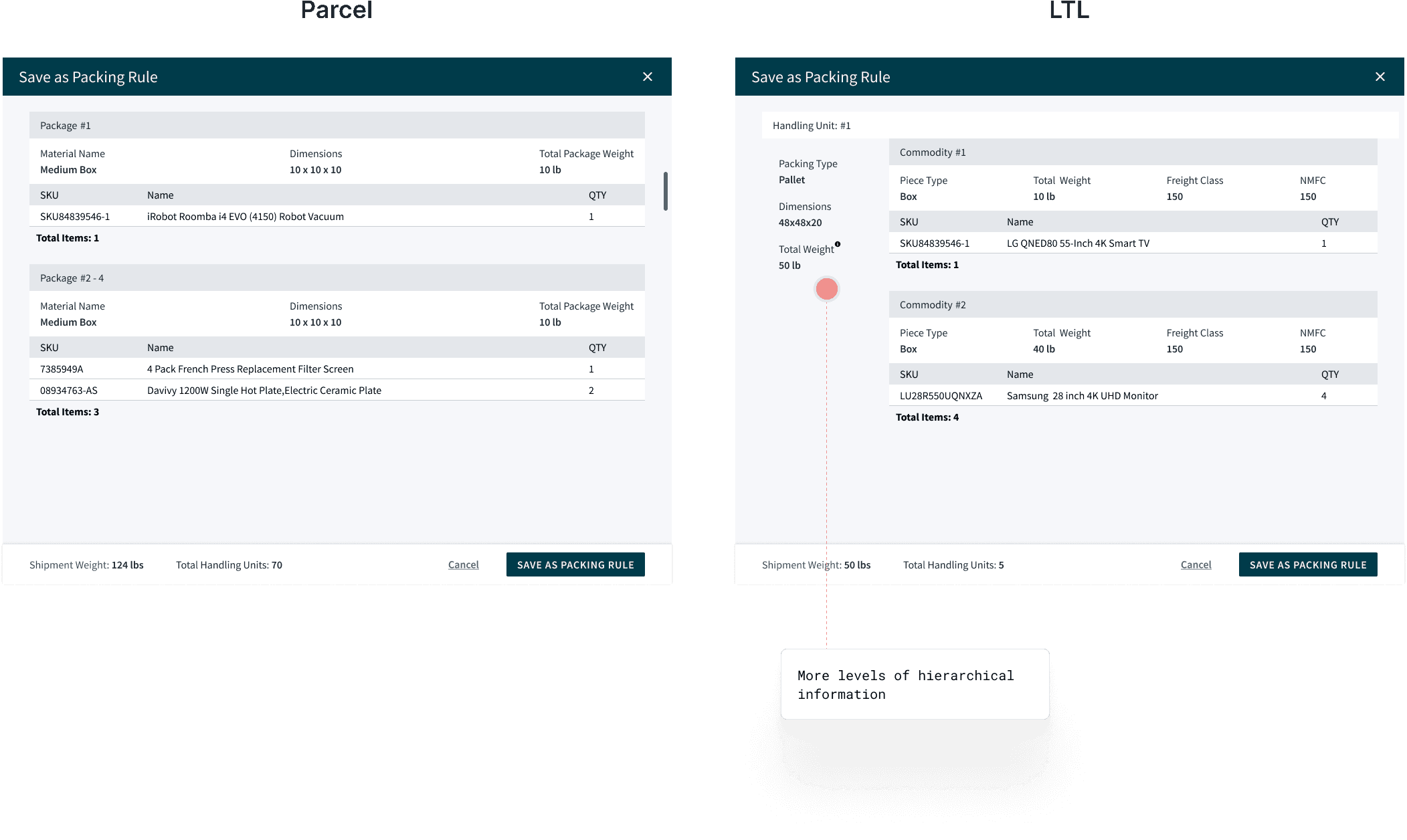
Edge Case #1: Shipping LTL
Replacing the “View all photos” button, I decided that it would be much easier for users to be able to view the images within the page.
Parcel: shipment of packages less than 150 lbs
LTL (Less than Truckload): shipment of items larger than parcel but that do not fill an entire truck
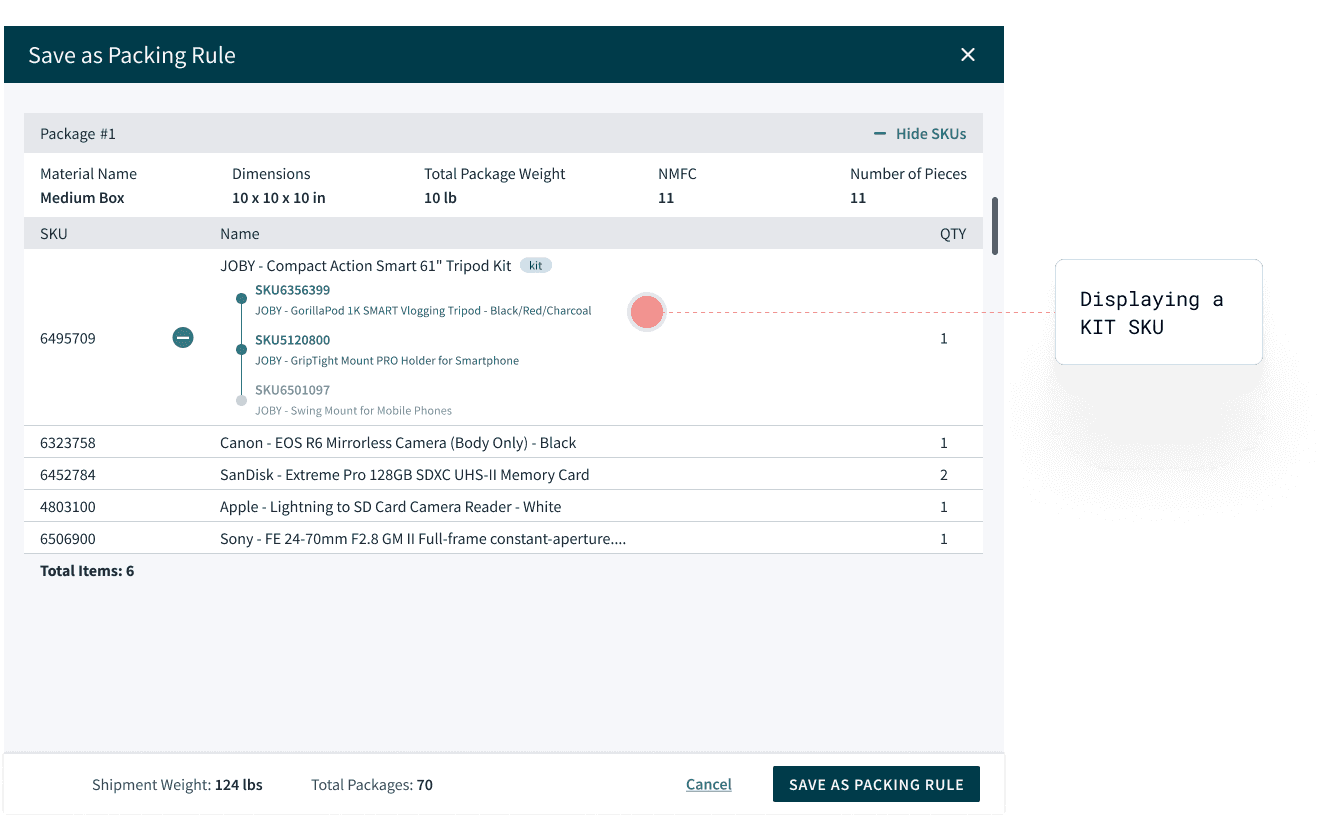
Edge Case #2: KITs
Without disrupting the current UX, I added KITs support to show items within the SKU.
KITs: items within a SKU
ITERATIONS
Iterating based on team and user feedback
Getting initial feedback from the Product Manager was really helpful in accounting for use cases I hadn’t really considered. Given that he works very closely with clients, he helped represent users and was able to get feedback that I could quickly iterate on.
TeachMode was enabled for 3 of our customers, whom I was able to review through watching FullStory. Through these user sessions, I was able to check if there were any glaring usability issues.
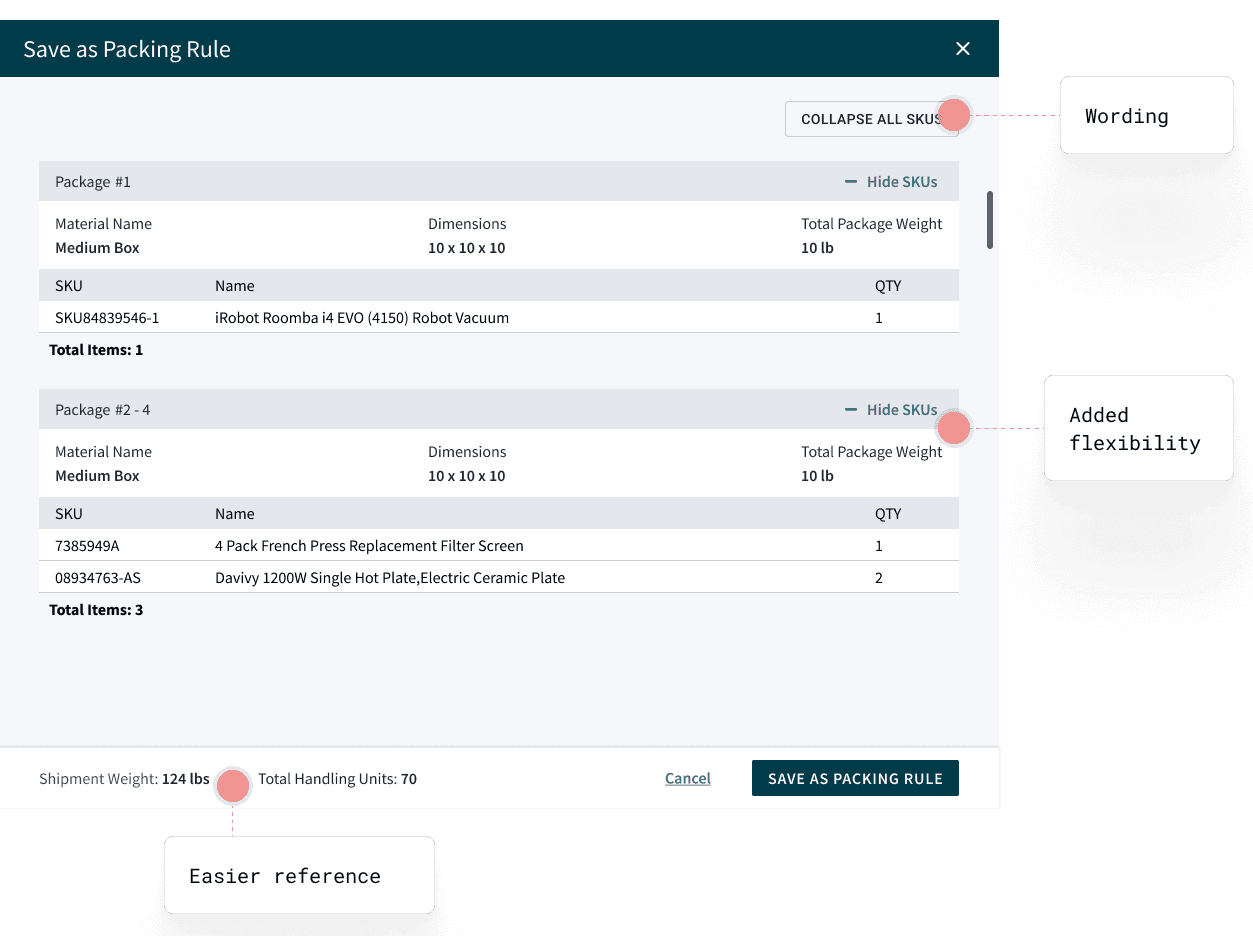
Feedback Takeaway: Give users more autonomy over viewing information
Workers might have a lot of packages so information should be able to be condensed but also easy to access.
Design Solution
Easier scanning - “Collapse All” button
Added flexibility - “Hide/Show SKUs” on package level
DEVELOPMENT
Handing it off to developers
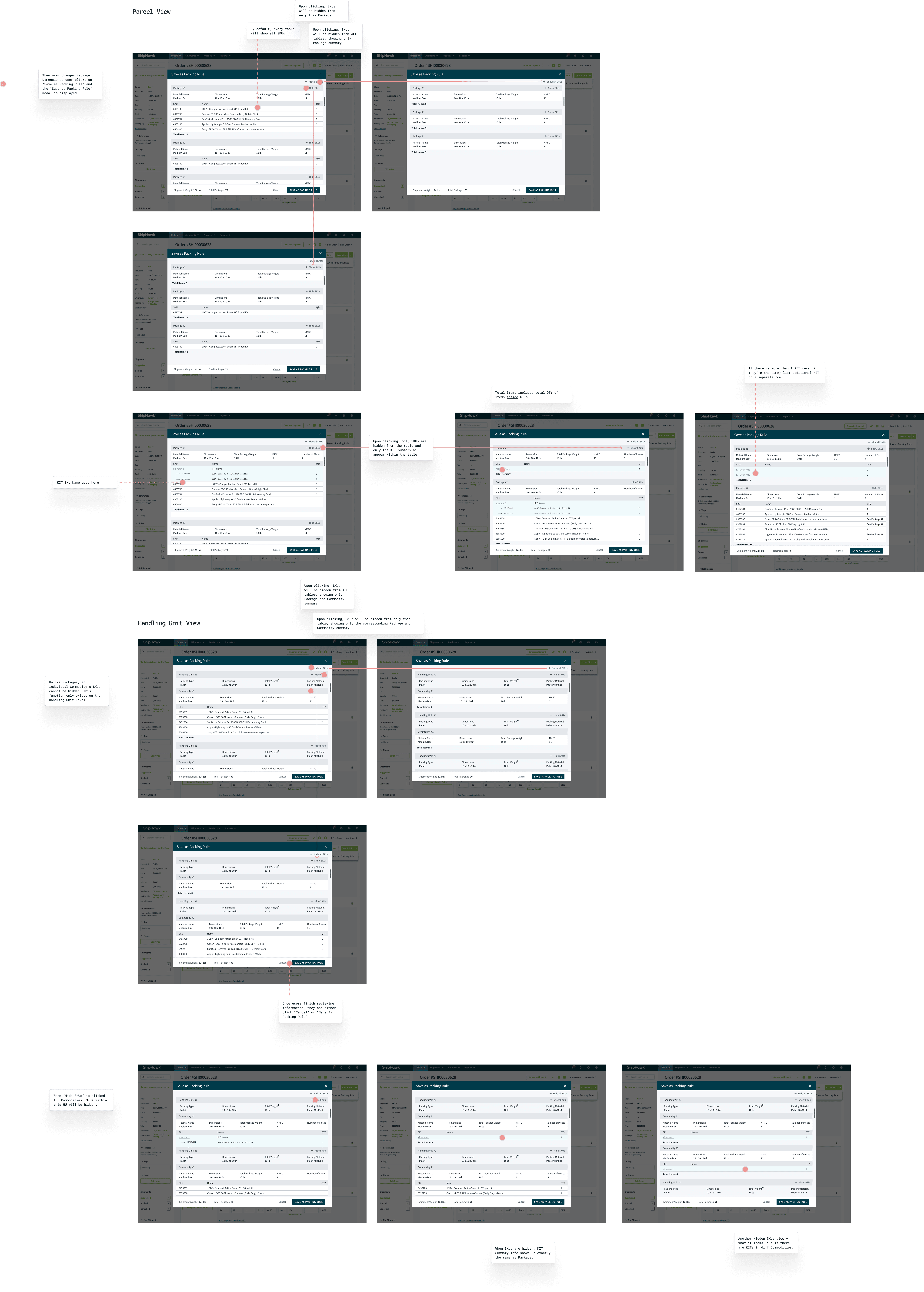
I documented the frames for the developers to explain design details and microinteractions. We communicated frequently through Slack, where they would send any questions about certain design details and functionalities and I’d provide clarity. I was also able to test out the page on the QA site and commented any edits and areas of improvement on the Redmine ticket.
FINAL DESIGNS
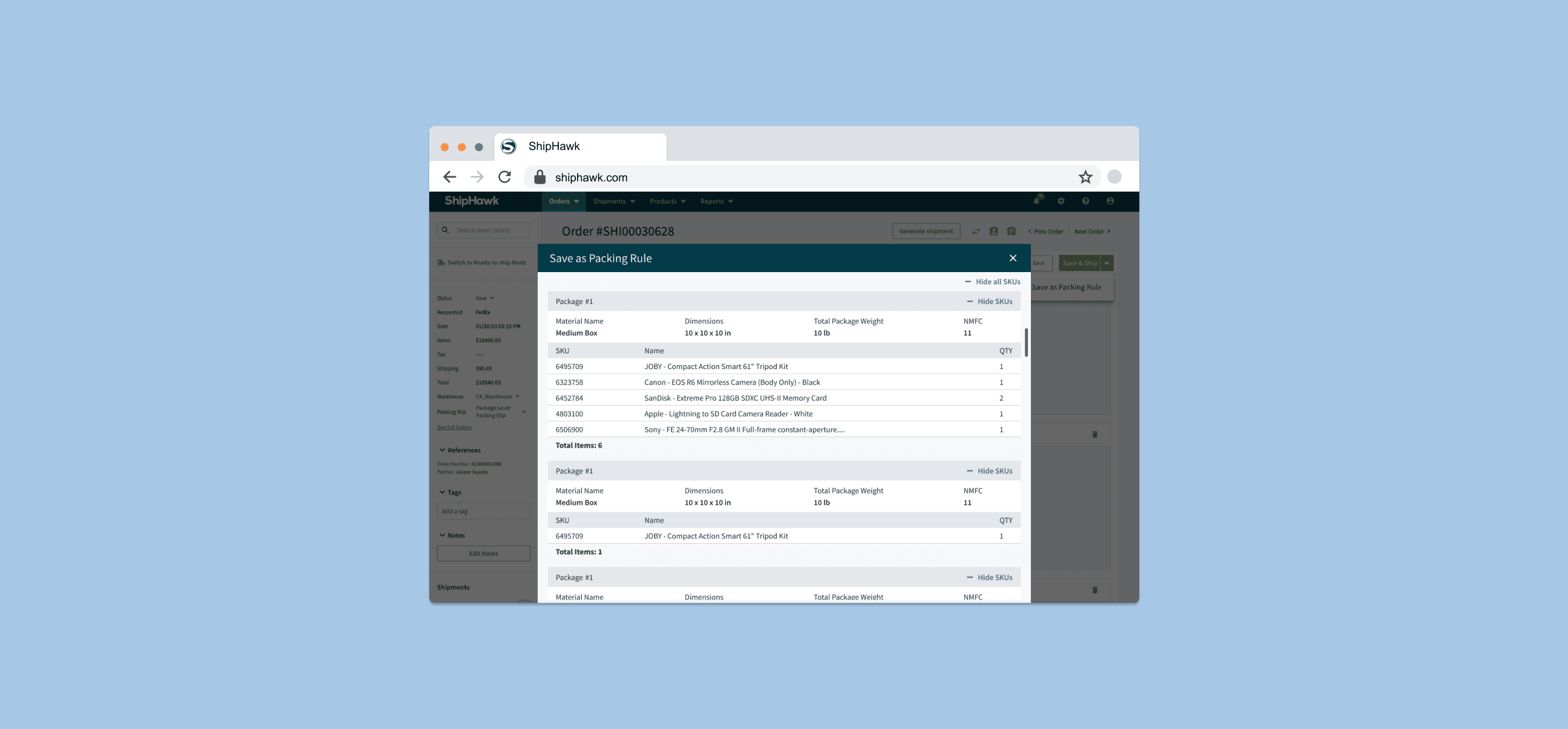
Introducing a new and improved TeachMode.

Create a new packing rule.
Workers adjust packing configurations, manually overriding the Smart Packing algorithm.

Verify packing information.
Workers can double check package rules.

Save as packing rule.
Now a packing rule, not only can the worker reuse this configuration, but so can other shippers within the company.
RESULTS
Outcomes and Future Direction
For the 3 clients that we ended up enabling the feature for, we were able to gather the 3 following insights that allowed us to evaluate the efficacy of the redesign and inform future direction.
100%
reported increased efficiency in shipping workflow
21%
reduction in time to save a packing rule
67%
reported their shipping needs were fully supported by TeachMode
Next Steps
Due to the constraints and limitations from the project timeline, we weren’t able to flesh out certain aspects of the design and experience. Thus, for our next steps, we intend to tackle these goals in the next iteration.
Including more edge cases.
There are still more edge cases that TeachMode isn’t accounting for.
Organizing packing rules
As warehouse workers are creating more packing rules, there should be some way to organize it and easily access this.
REFLECTION
What I Learned
Invest the time in understanding both the product and the users.
The foundation of good design is truly understanding the product. Before diving into design, I took the time to understand shipping processes and industry terms and the workflow of warehouse workers.
How to align with different roles.
With PMs, the iteration process was more efficient when I was communicating earlier and more frequently. Meanwhile, for Developers, annotating my prototypes aided greatly in translating designs.