
Role
Product Designer
Timeline
3 months
Tools
Figma, Confluence
Team
2 Product Designers
1 Technical Writer
BACKGROUND
Building a centralized design system.
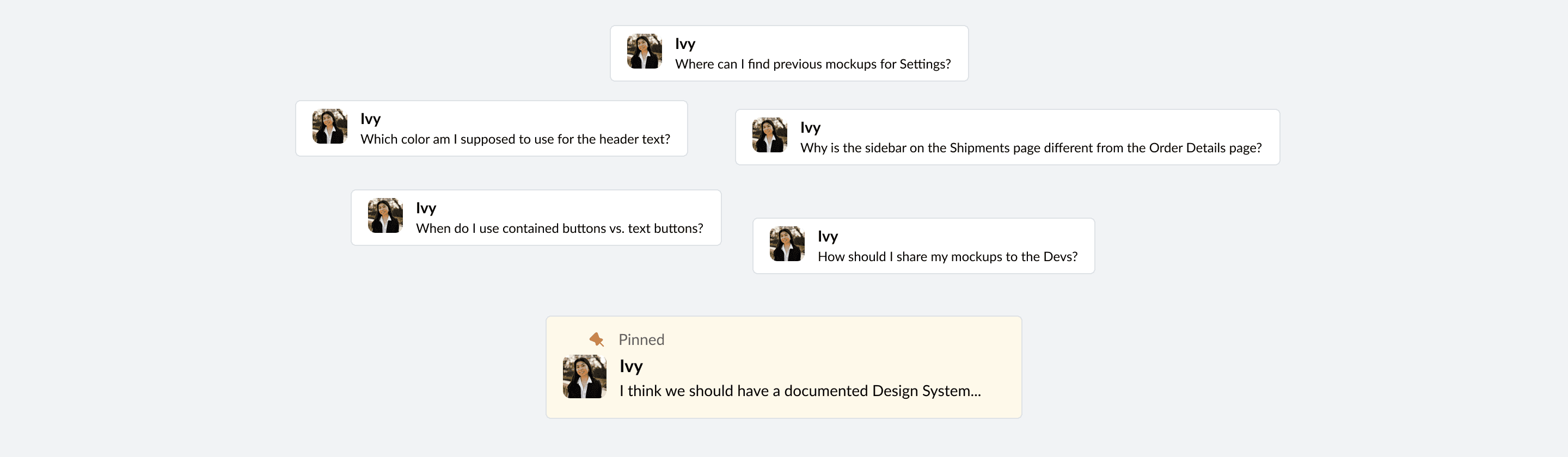
ShipHawk is a B2B Shipping Software startup based in Santa Barbara, CA. As an intern here, I noticed that I kept running into the same road bumps during projects. Whenever I got to the design phase, I’d always bombard my manager with design systems questions, like where to find certain design work on Figma, and which styles for a component to use. There was no documentation I could reference, hence the endless Slack messages.
This lack of clarity was taking up my time working on the project, disrupting my manager, and interfering with the consistency of user experiences being built on the site. So, I decided to take it upon myself to fill this gap in ShipHawk’s design.
OVERVIEW
Problem
Inefficient Design Process
Solution
Centralized Design System
oUTCOMES
20+ pages
of documentation drafted for 2 scrum teams
90+ assets
standardized and documented on Confluence
18% increase
in design productivity
RESEARCH
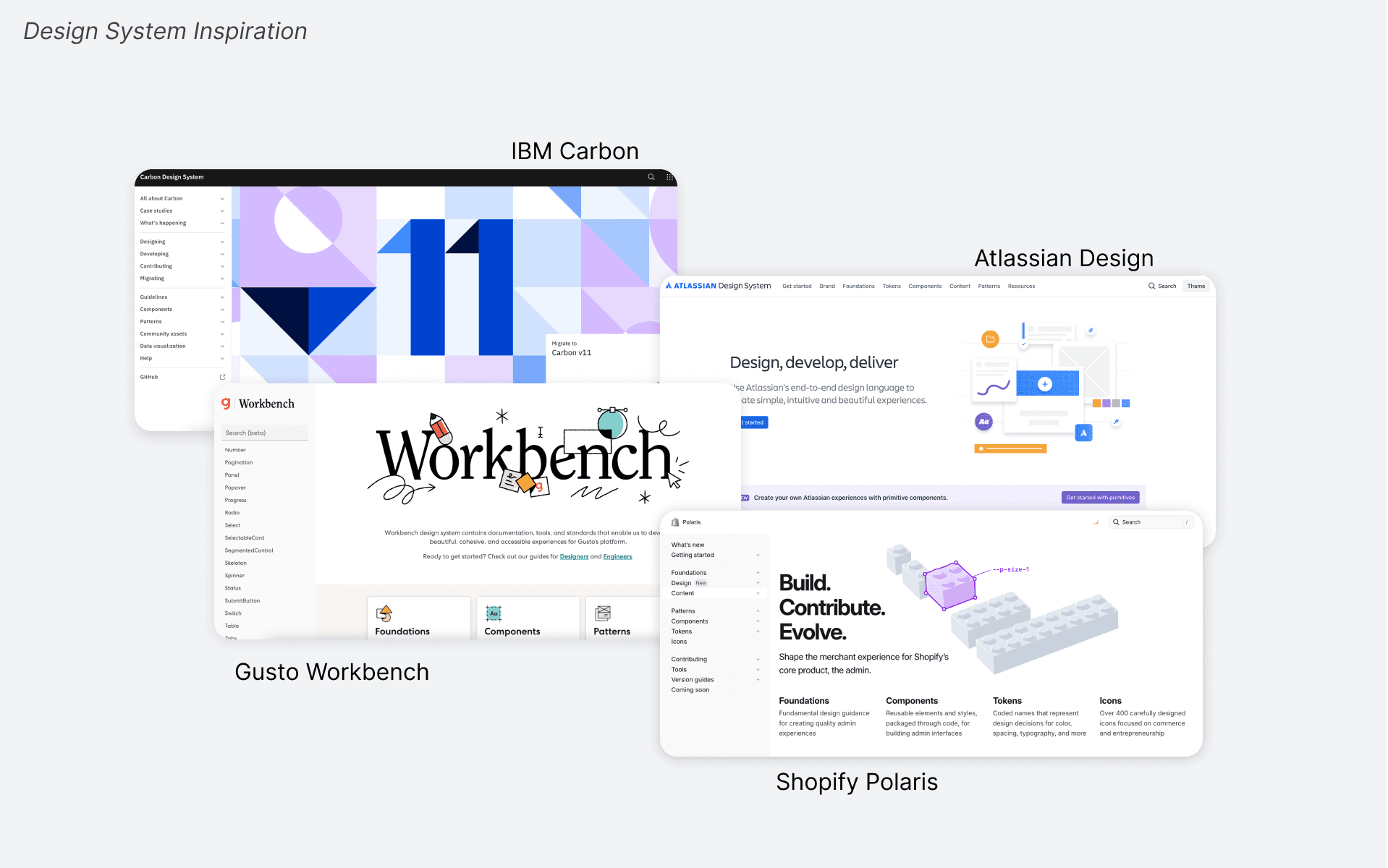
I first decided to do some research and analyze the design systems of high design maturity companies: Shopify Polaris, Workbench Gusto, Atlassian Design System, IBM Carbon. From these design systems, I got a sense of the tone and language being used, how components are properly named, and how strong design teams established guidelines. I noticed that they all followed a similar structure of Foundations, Components, Patterns, etc. and decided to adopt that as an outline for the content.
Interviews with the Product Team
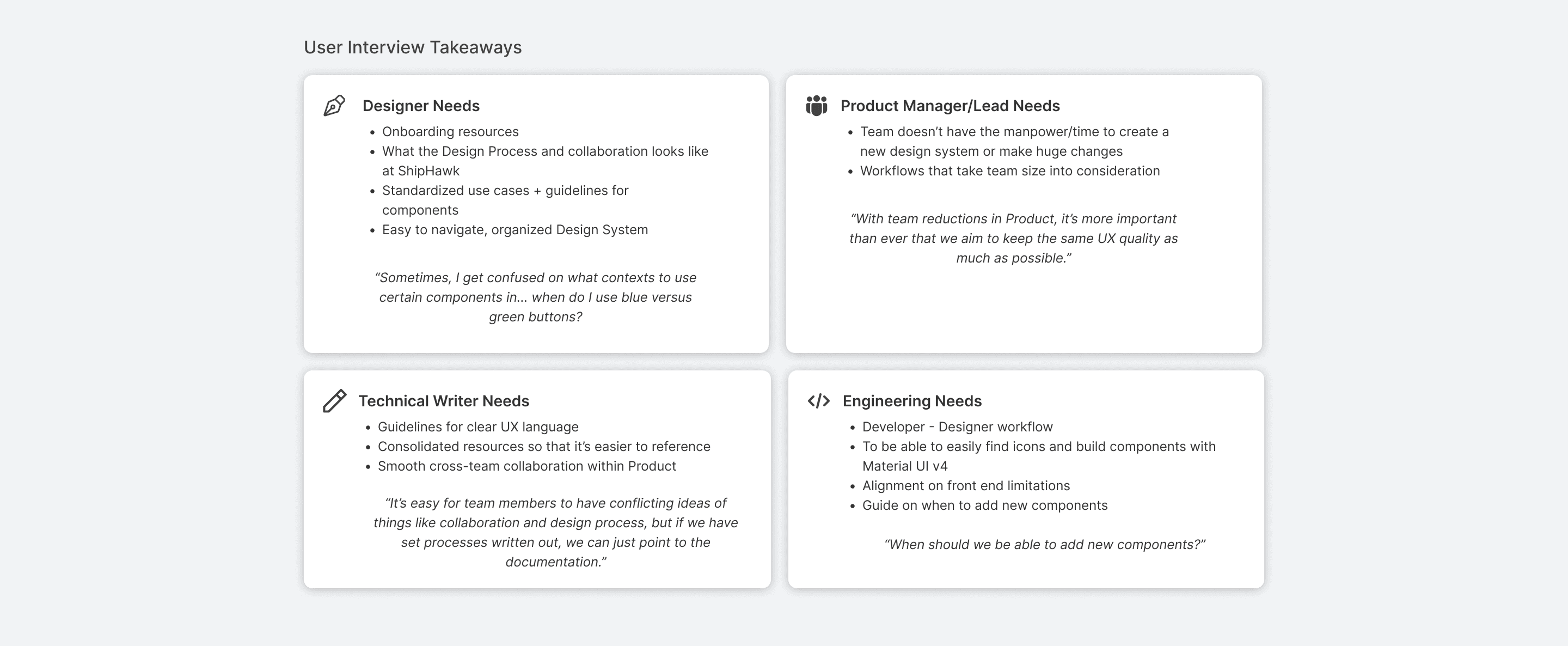
After getting an idea of how to structure the documentation, I started to hone in on the audience that would be using this. At ShipHawk, I expected Product Designers, Engineers, and Product Managers, and Technical Writers to refer to this. I set up meetings with members of the Product Team to learn about their needs and priorities and how I could address these with the documentation.
As the only ShipHawk designer at the time, I didn’t have any other designer to consult with, so I relied on my own experiences when thinking about how future SH designers could use this documentation. I thought about the gaps in knowledge I had and what resources would’ve been helpful as a new hire. Later on, I connected with Amanda Crissman, a Senior Product Designer at AppFolio that had experience building Design Systems. From Amanda, I got to hear about her first hand experiences in cross-team collaboration when crafting a Design System and Product Team workflows.
gOALS
Document over Dumping
Due to limited development resources, it was important to prioritize just documenting what was currently in our design system over revamping.
Consider User Experience
As Designers, we always emphasize the importance of creating a seamless user experience for our users, and this case isn’t any different. Here, the users are ShipHawk designers, who need to be able to navigate this documentation easily.
Set up a system for the future
Design system documentation isn’t just about recording the current components and workflows have, but also how to maintain the design system. As the company continues growing, so will the system.
aUDITING
Noting down each component…
Keeping these goals in mind, I dived into auditing the site to take note of all the components. To organize everything, I created a spreadsheet to track the components and their variants. I also used this to cross reference what components had already been built in Figma and to determine what needed to be added.
Standardizing was one of the most difficult parts of documentation. There were several instances where components had different styles and even conflicted in use-cases. This was really concerning because having consistency is essential to providing a reliable user experience for our users. Trying to settle these inconsistencies was tough, and there was a constant weighing of user experience and what was the best use of developer time.

fINAL DOCUMENTATION
A new hub for design is born.
Keeping these goals in mind, I dived into auditing the site to take note of all the components. To organize everything, I created a spreadsheet to track the components and their variants. I also used this to cross reference what components had already been built in Figma and to determine what needed to be added.
Standardizing was one of the most difficult parts of documentation. There were several instances where components had different styles and even conflicted in use-cases. This was really concerning because having consistency is essential to providing a reliable user experience for our users. Trying to settle these inconsistencies was tough, and there was a constant weighing of user experience and what was the best use of developer time.
Onboarding Resources
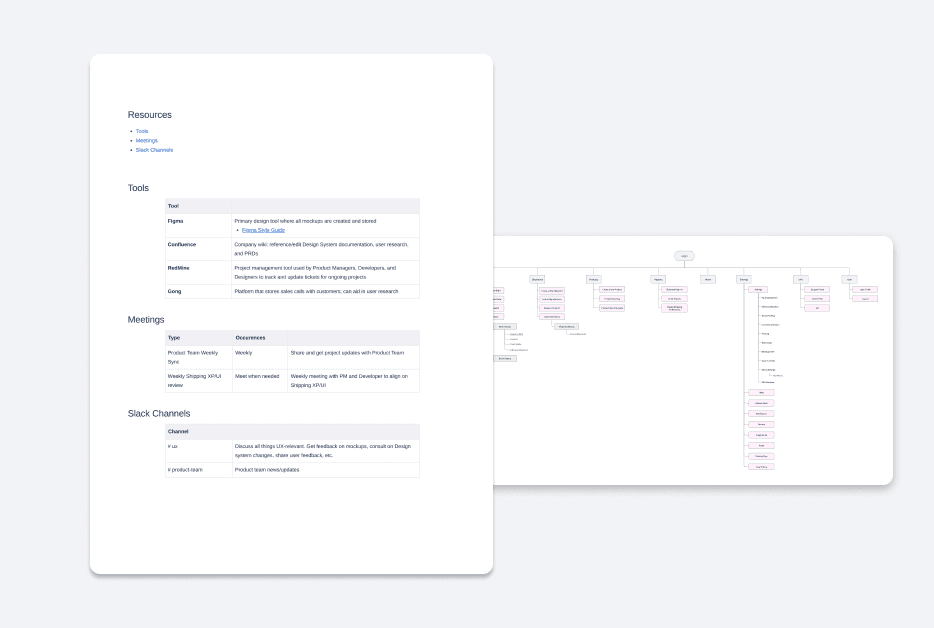
New Designers can better familiarize themselves with the Design culture at ShipHawk, and how workflows and collaboration amongst the Product Team looks like. The site map, pictured on the right, includes links to the corresponding Figma page, allowing for easier reference to previously designed mockups.
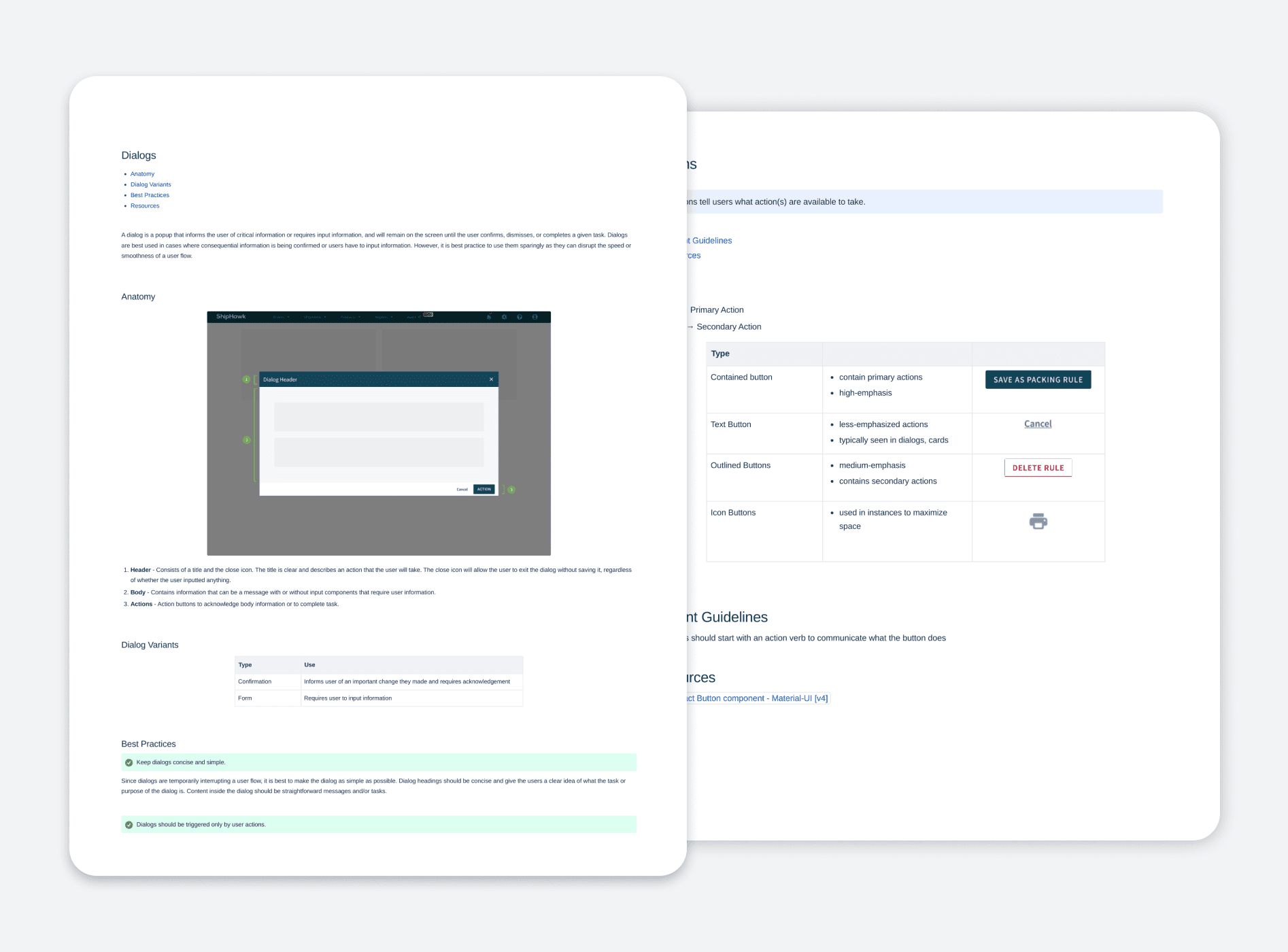
Standardized Components and Patterns
Refer to guidelines and best practices to create consistent user experiences across the ShipHawk site. By familiarizing themselves with where and how components are used, Designers can save time designing and reduce any handoff friction.
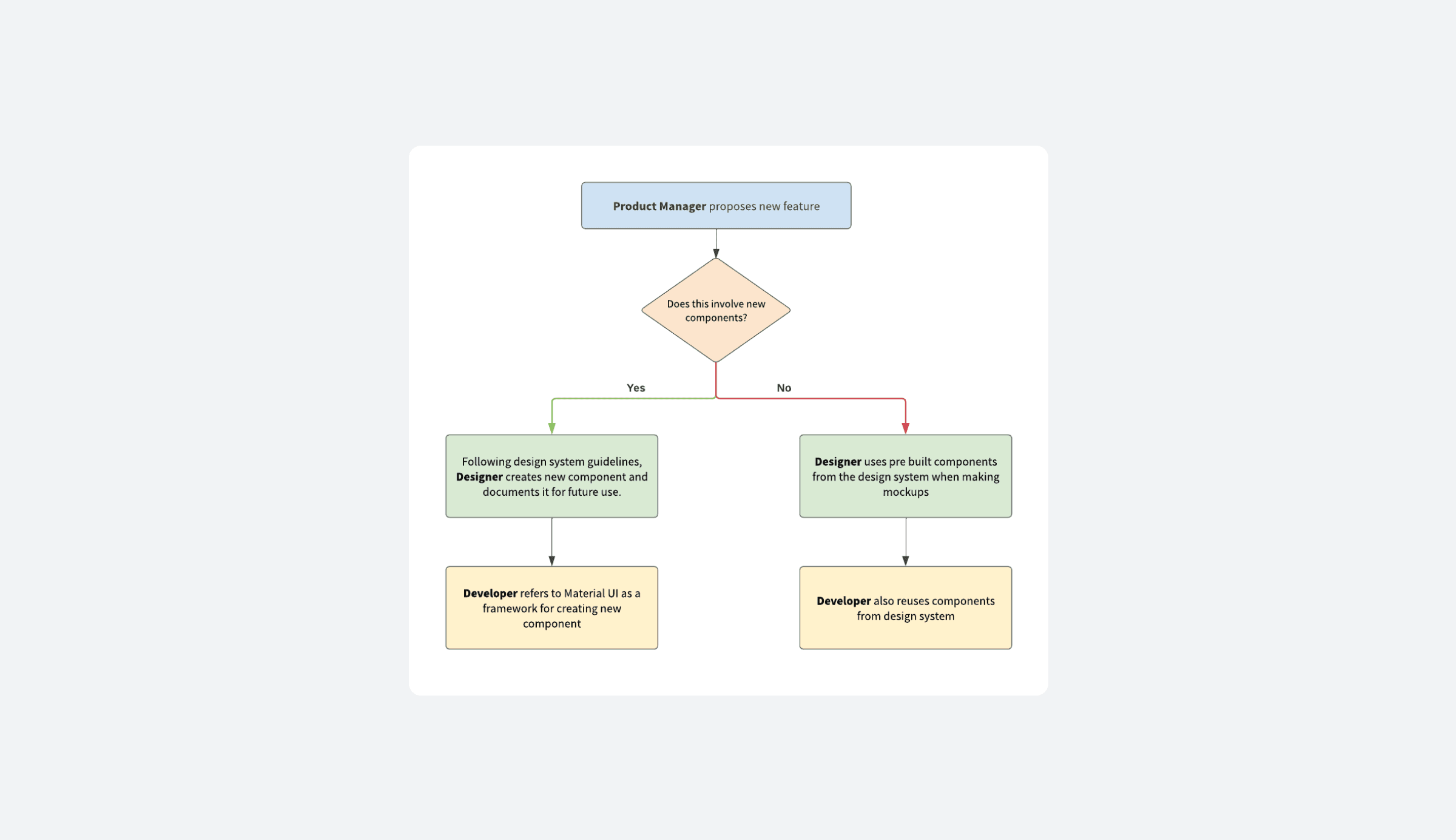
Design System Maintenance
Use this decision chart as a guide when deciding when to add to the design system. The goal for this is to help Product Managers, Designers, and Developers align in maintaining the documentation, keeping consistency, and avoiding any unnecessary additions.
REFLECTION
What I learned
Prioritizing Foundation
There were many UI issues that I wanted to tackle and fix but didn’t have the resources to. As difficult as it was to let go of these problems, I knew that it was more important to create a strong foundation that future designers could continue building on top of.
Seeking Help
Not having another designer to collaborate with on this project made me turn to other people in Product. Talking to Engineering made me think about design system maintenance, and getting advice from a Senior Product Designer with design systems experience allowed me to consider exploring how this maintenance would look in practice.